



What Stands Out
Product Details
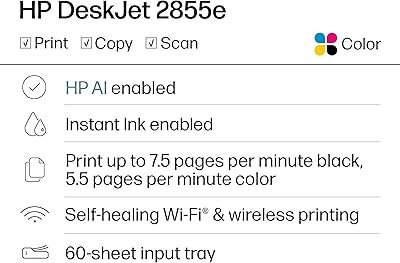
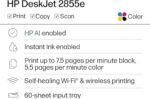
- The DeskJet 2855e is perfect for homes printing to-do lists, letters, financial documents and recipes. Print speeds up to 5.5 ppm color, 7.5 ppm black
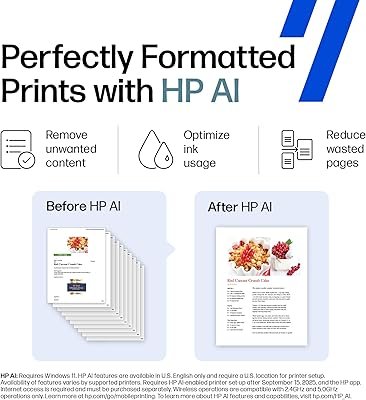
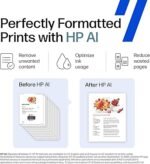
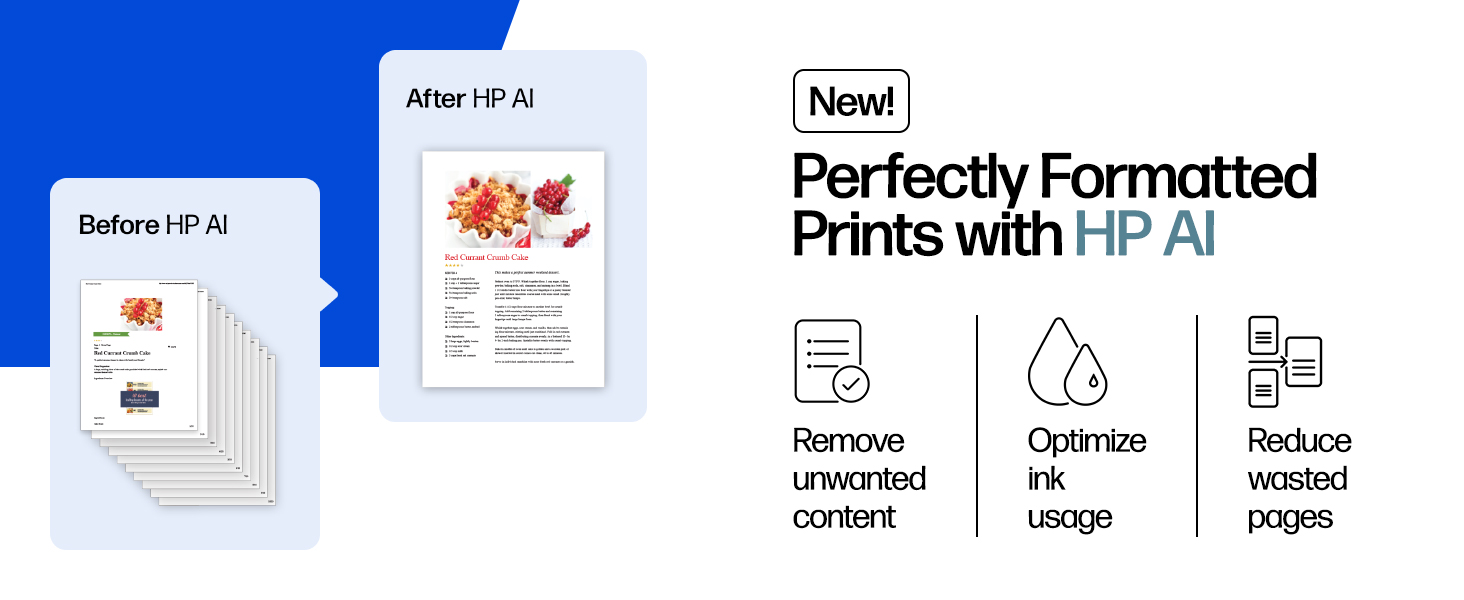
- PERFECTLY FORMATTED PRINTS WITH HP AI – Print web pages and emails with precision—no wasted pages or awkward layouts; HP AI easily removes unwanted content, so your prints are just the way you want
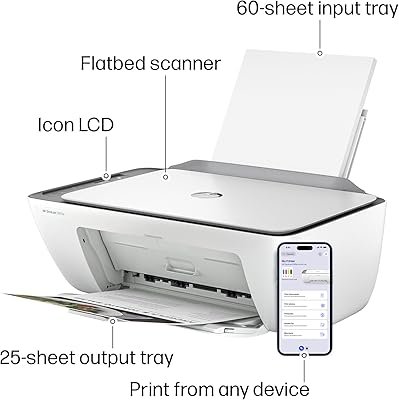
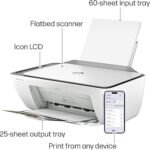
- KEY FEATURES – Color printing, copy, scan, and a 60-sheet input tray
- WIRELESS PRINTING – Stay connected with our most reliable Wi-Fi, which automatically detects and resolves connection issues
- HP APP – Print, scan, copy, or fax right from your smartphone, PC, or tablet with the easiest-to-use print app
| Brand | HP |
| Connectivity Technology | single band wi-fi |
| Printing Technology | Inkjet |
| Special Feature | wireless |
| Color | white |
| Model Name | DeskJet 2855e All-in-One Printer |
| Printer Output | Color |
| Maximum Print Speed (Color) | 5.5 ppm |
| Max Printspeed Monochrome | 7.5 ppm |
| Item Weight | 7.6 Pounds (3.45 kg) |
| Date First Available | 2024-04-09 00:06:42 |
Product Technical Details
| Product Dimensions | 11.97″D x 16.7″W x 6.06″H |
| Controller Type | iOS |
| Maximum Media Size | 3 x5 to 8.5 x 14 in |
| Included Components | 588S5A HP DeskJet 2855e All-in-One; HP 67 Setup Black Cartridge; HP 67 Setup Tri-color Cartridge; Regulatory flyer; Setup guide; Reference guide; Power cord [For ink volume and page yield information, visit http://hp.com/go/learnaboutsupplies ] |
| Print media | Envelopes, Glossy photo paper, Paper (plain) |
| Scanner Type | Flatbed |
| Max Input Sheet Capacity | 60 |
| Max Copy Speed (Black & White) | 7.5 ppm |
| Compatible Devices | Smartphones |
| Maximum Color Print Resolution | 4800 x 1200 dpi |
| Sheet Size | 3 x 5 to 8.5 x14 Inches |
| Maximum Black and White Print Resolution | 600 dpi |
| Warranty Type | Extended Warranty |
| Color Depth | 24 bpp |
| Dual-sided printing | Yes |
| Maximum copies per run | 9 |
| Wattage | 2.8 watts |
| Initial page print time | 15 Seconds |
| Max copy resolution color | 4800 x 1200 dpi |
| Printer resolution bw horiz max | 14 Inches |
| Max copy resolution black-white | 600 dpi |
| Duplex | Manual |
| Hardware Interface | USB 2.0 |
| Printer resolution bw vert max | 8 Inches |
| Ink Color | black, cyan, magenta, yellow |
| Additional Printer functions | All In One |
| Control Method | App |
| Compatible Cartridge | HP 67 |
| Output sheet capacity | 25 |
| Number of Trays | 1 |
| Processor Count | 1 |
| Number of USB 2 Ports | 1 |
| Total USB Ports | 1 |
| Model Series | 2855e |
| Specific Uses For Product | Office |
| UPC | 196337380097 |
| Printer Ink Type | Dye Based Ink, Pigement Based Ink |
| Supported Media Sizes | 3 x 5 inches |
| Memory Storage Capacity | 64 MB |
| Manufacturer | HP |
| Item model number | 588S5A#B1H |
| Number of Drawers | 2 |
| Number of Items | 1 |
| Size | standard |
| Manufacturer Part Number | 2855e |
What’s in the box
588S5A HP DeskJet 2855e All-in-One; HP 67 Setup Black Cartridge; HP 67 Setup Tri-color Cartridge; Regulatory flyer; Setup guide; Reference guide; Power cord [For ink volume and page yield information, visit http://hp.com/go/learnaboutsupplies ]
Who Should Buy?

- Home Users
Ideal for families needing versatile printing, scanning, and copying functionalities at an affordable price. - Students
Great for students who require a reliable printer for assignments, projects, and homework submissions. - Casual Users
Perfect for occasional printing needs, like documents and photos, without overwhelming features or complexities.

- High-Volume Users
Not suitable for businesses or users needing to print large volumes regularly due to speed and capacity limitations. - Professional Photographers
May not meet high-quality printing standards required for professional photo prints and true color accuracy. - Tech-Savvy Users
Lacks advanced features and multi-band connectivity options that tech enthusiasts typically seek in a printer.
Product Description
Customer Questions & Answers
- Question: What is the HP DeskJet 2855e capable of?
Answer: The HP DeskJet 2855e is an all-in-one printer designed to handle printing, scanning, and copying tasks seamlessly. It delivers vibrant color prints suitable for various documents, making it ideal for both home use and small office tasks. With wireless connectivity, you can easily print from your smartphone, tablet, or laptop without the hassle of wires. Whether you’re printing school projects or family photos, this printer offers versatility for everyday use.
- Question: How do I set up the HP DeskJet 2855e?
Answer: Setting up the HP DeskJet 2855e is straightforward. Start by unboxing the printer and connecting it to a power source. Then, download the HP Smart app on your mobile device or computer to guide you through the setup process. You’ll need to connect to your Wi-Fi network and install the included ink cartridges. Once set up, you can begin printing, scanning, or copying with ease. This makes it user-friendly even for those unfamiliar with technology.
- Question: What is Instant Ink and how does it work with the HP DeskJet 2855e?
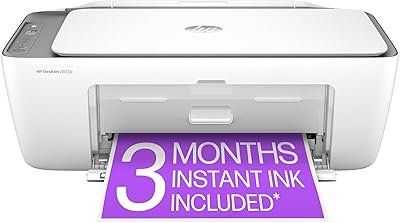
Answer: Instant Ink is a subscription service for ink cartridges offered by HP, which is included for the first three months with the DeskJet 2855e. It monitors ink levels and automatically orders replacement cartridges when needed, so you never run out of ink unexpectedly. After the trial period, you can choose a plan that fits your printing habits. This service simplifies maintenance and ensures you always have the ink necessary for your printing tasks.
- Question: Can the HP DeskJet 2855e print in black and white?
Answer: Yes, the HP DeskJet 2855e can print in both color and black and white. This functionality ensures flexibility for printing documents, flyers, or school assignments. Additionally, when using black ink, text documents are printed with clear and crisp detail. This makes it suitable for both professional and personal printing needs, allowing users to choose the color option based on their specific requirements.
- Question: Is the HP DeskJet 2855e compatible with mobile devices?
Answer: Absolutely! The HP DeskJet 2855e offers compatibility with mobile devices via the HP Smart app. This app not only allows you to print directly from your smartphone or tablet but also enables you to scan documents and manage printer settings. Whether you’re on the couch or at the office, you can easily print your essential documents from anywhere, enhancing convenience for busy lifestyles.
- Question: What types of paper can the HP DeskJet 2855e use?
Answer: The HP DeskJet 2855e is versatile in terms of paper types and can accommodate various paper formats. It supports standard letter, legal, and A4-sized paper, as well as envelopes and photo paper. This flexibility allows users to create different projects, ranging from reports to photo prints, making it an excellent choice for home usage, especially for crafting or family scrapbooks.
- Question: How do I connect the HP DeskJet 2855e to Wi-Fi?
Answer: To connect the HP DeskJet 2855e to Wi-Fi, ensure your printer is powered on, then use the HP Smart app for a guided setup. The app will prompt you to select your Wi-Fi network and enter the password. Alternatively, you can use the control panel on the printer to select the wireless option and follow the instructions to establish a connection. Once connected, you can print wirelessly from multiple devices, enhancing productivity.
- Question: What is the print speed of the HP DeskJet 2855e?
Answer: The HP DeskJet 2855e offers decent print speeds, producing up to 7.5 pages per minute for black and white documents, and approximately 5.5 pages per minute for color prints. While it’s optimized for quality prints, it still maintains a reasonable output for daily home printing tasks. This makes it suitable for your routine needs, from printing homework to important documents, without excessive waiting.
- Question: How do I troubleshoot common issues with the HP DeskJet 2855e?
Answer: Troubleshooting the HP DeskJet 2855e typically involves checking common issues like connectivity, ink levels, and paper jams. Start by ensuring the printer is connected to Wi-Fi and that the HP Smart app is updated. If you encounter a paper jam, carefully remove any stuck paper following the printer’s instructions. Maintaining updated drivers and having fresh ink cartridges can also prevent many typical issues, ensuring a smooth printing experience.
- Question: Where can I buy the HP DeskJet 2855e Wireless All-in-One Printer in Pakistan?
Answer: You can buy the HP DeskJet 2855e Wireless All-in-One Color Inkjet Printer, Scanner, and Copier from Ubuy in Pakistan. This platform offers a seamless online purchasing experience, ensuring you have access to this versatile printer along with the included three months of Instant Ink service. Ubuy is a reliable choice for sourcing quality tech products, making it easy to enhance your home office setup.
Reviews
Clear filtersThere are no reviews yet.